
Projects
A project brings together the pattern you’re stitching, the fabric you’re stitching it on, and the fibers you’ll use. Open the Projects tab to see the list, and tap one to see its details, progress, and status.
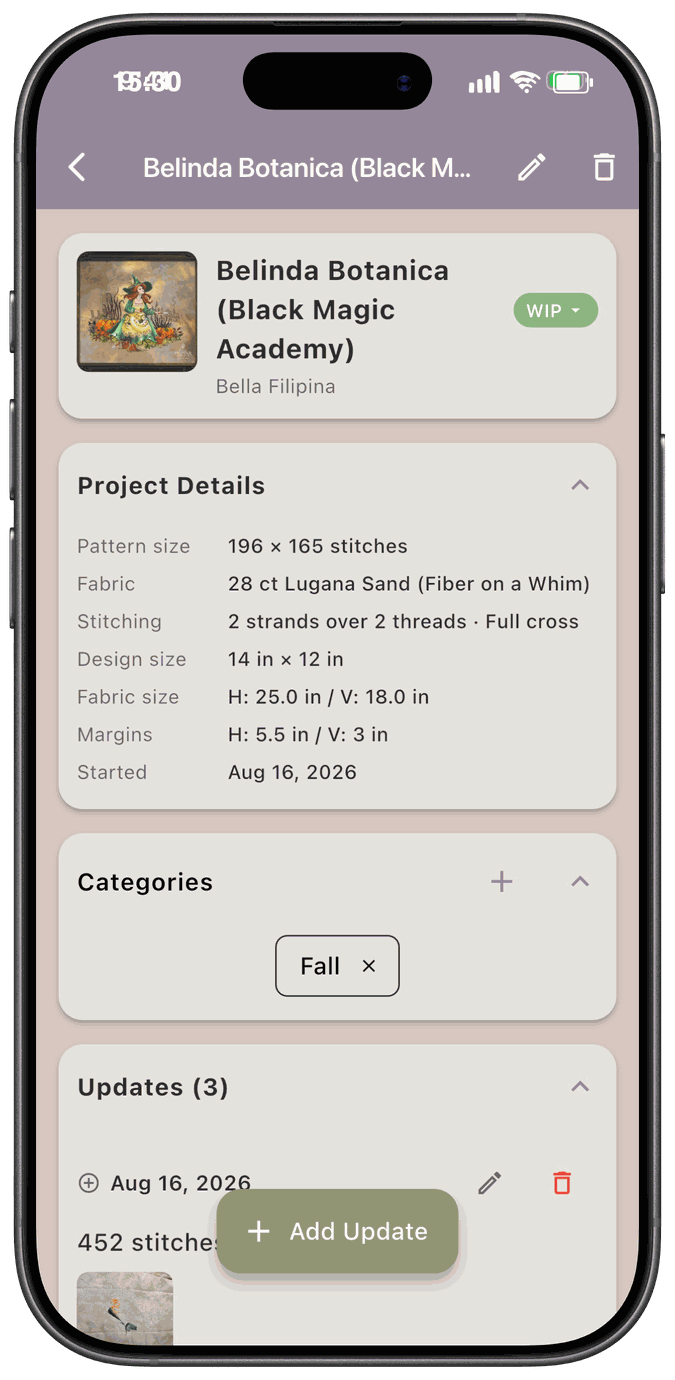
Here’s how a project usually goes:
- Start it. Tap New Start on the Projects tab, or tap Kit Up Project on a pattern in your stash.
- Get your fabric. See what size fabric you need, and how to cut down a larger piece if needed.
- Gather your fibers. See what fibers you already have, and add the missing ones to your Shopping List.
- Stitch and log it. Add updates as you go, with the stitches you did and photos of your progress.
- Move it along. Change the status as the project goes from New to WIP to Finished.
- Wrap up. Unkit or delete a project to return its materials to your stash.
In this section
Section titled “In this section”- Fabric Calculator — work out how much fabric a pattern needs and assign fabric from your stash
- Three Ways to Kit Up Fibers to a Project — pull fibers from your stash, stitch from your stash, or list what you have in hand
- Fiber Substitution — swap a fiber the pattern calls for with one you’d rather use
- Progress Tracking — log your stitching sessions and photos, and see how far along you are
- Project Statuses — the eight statuses, how to change them, and what happens when you do
- Unkitting a Project — put a project’s fabric, pattern, and fibers back into your stash
- Deleting a Project — remove a project and choose what happens to its materials
- Stitching App — note which app a project is loaded in, and filter your list by it