
My Stitch Counts
Patterns from the app’s shared library can’t be edited, but you can fill in their Width, Height, and Stitch Count yourself. What you enter is saved as your own counts for that pattern, so you can supply a size the library doesn’t have.
For a pattern you added yourself, you change its size directly. See See and edit a pattern.
Enter your counts on the pattern
Section titled “Enter your counts on the pattern”- Open Stash, tap the Patterns tab, and tap a pattern from the shared library.
- In About this Pattern, fill in Width (stitches), Height (stitches), and Stitch Count.
- Tap Save.
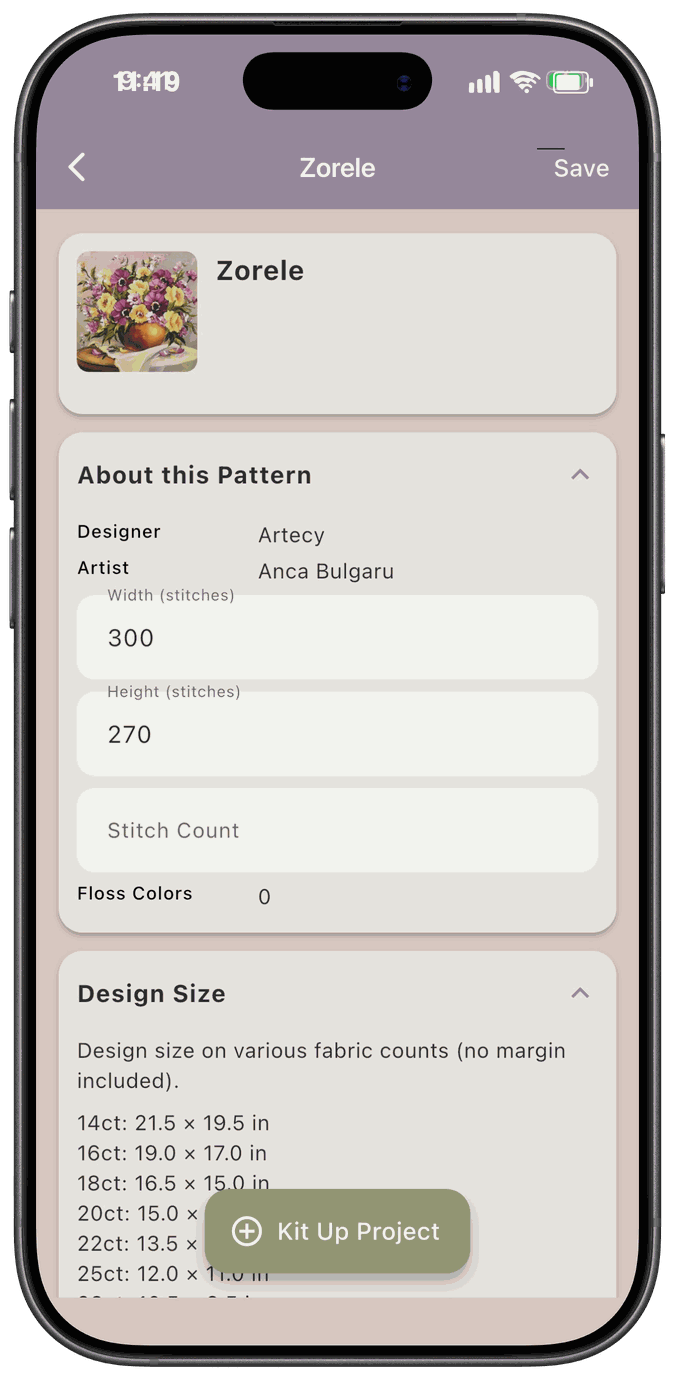
Use whole numbers from 1 to 2,000,000, with digits only. A number with a comma, like 1,000, or a decimal point, like 12.0, isn’t accepted, and the app says Enter a whole number from 1 to 2,000,000. You can leave a field blank. If the app can’t load your counts, the fields stay read-only.
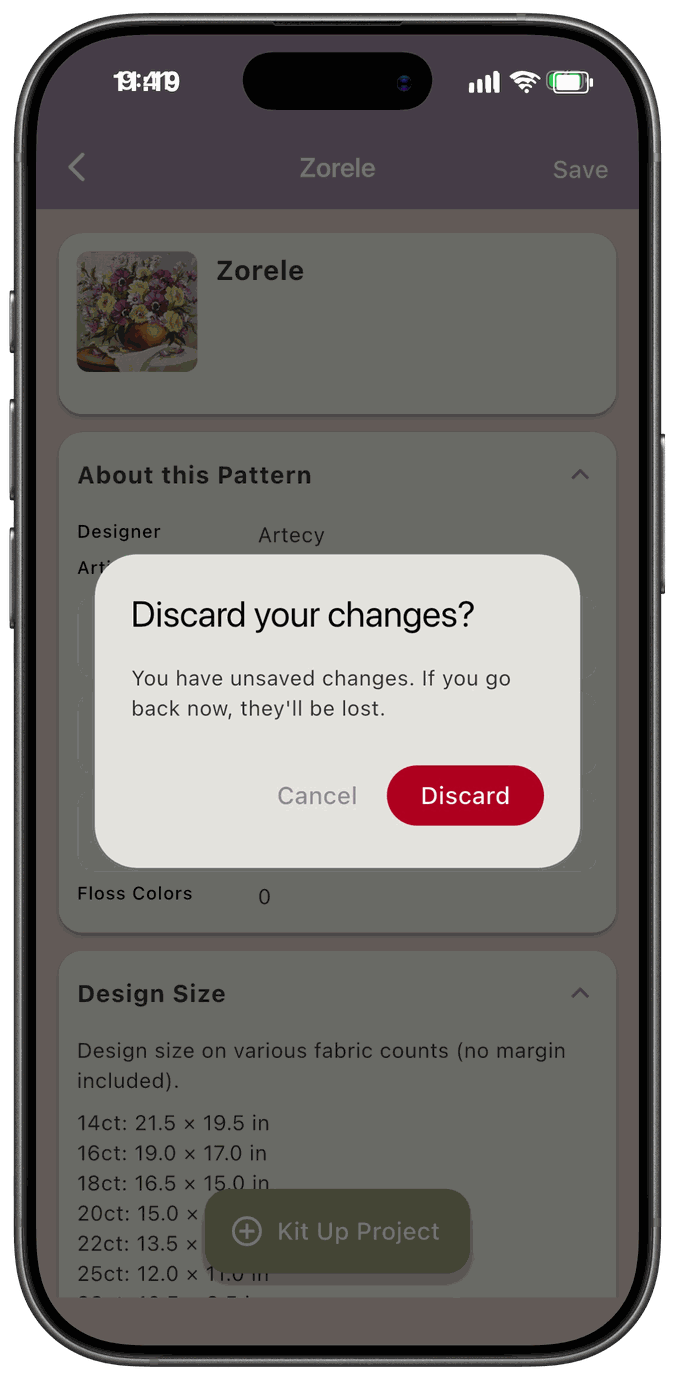
If you go back with changes you haven’t saved, the app asks Discard your changes? and tells you You have unsaved changes. If you go back now, they’ll be lost. Tap Discard to leave without saving, or Cancel to stay.
Edit your counts from a project
Section titled “Edit your counts from a project”On a project whose pattern is from the shared library, the Project Details card has an Edit Stitch Counts button.
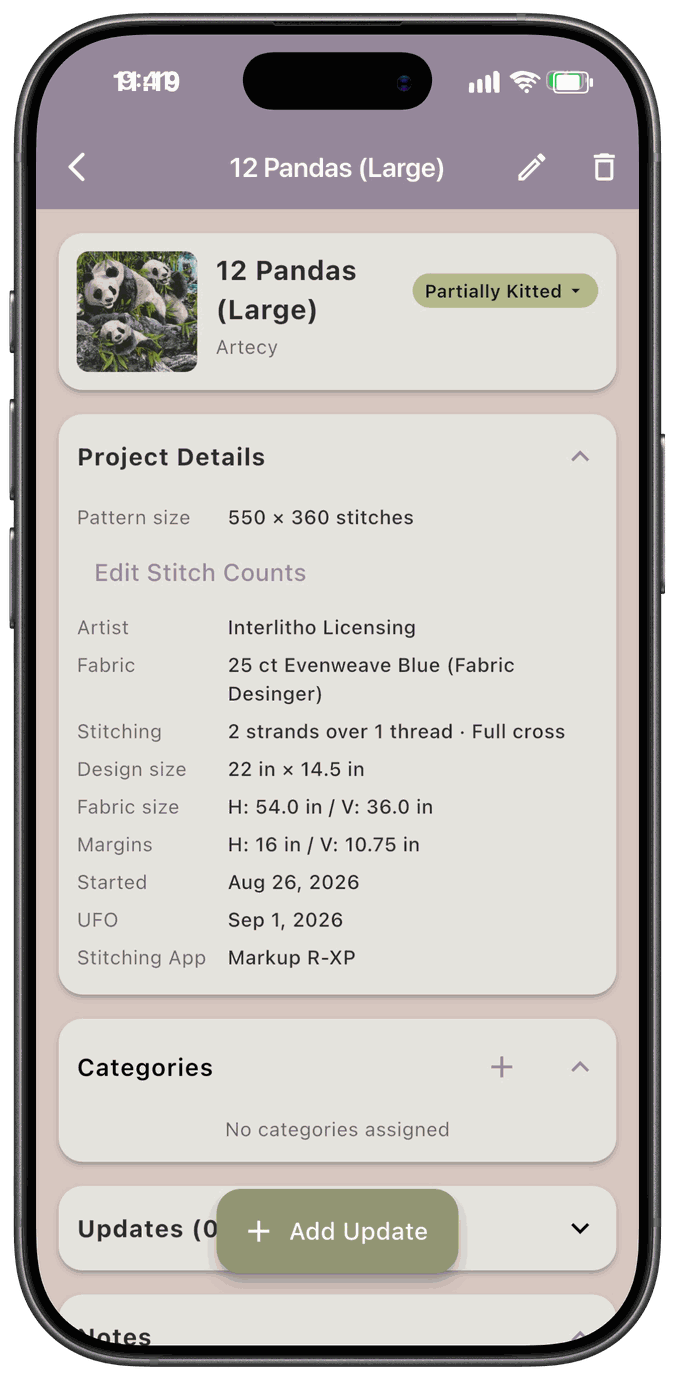
- Tap Edit Stitch Counts to open My Stitch Counts.
- Fill in Width, Height, and Total Stitches.
- Tap Save, or Cancel to close without saving.
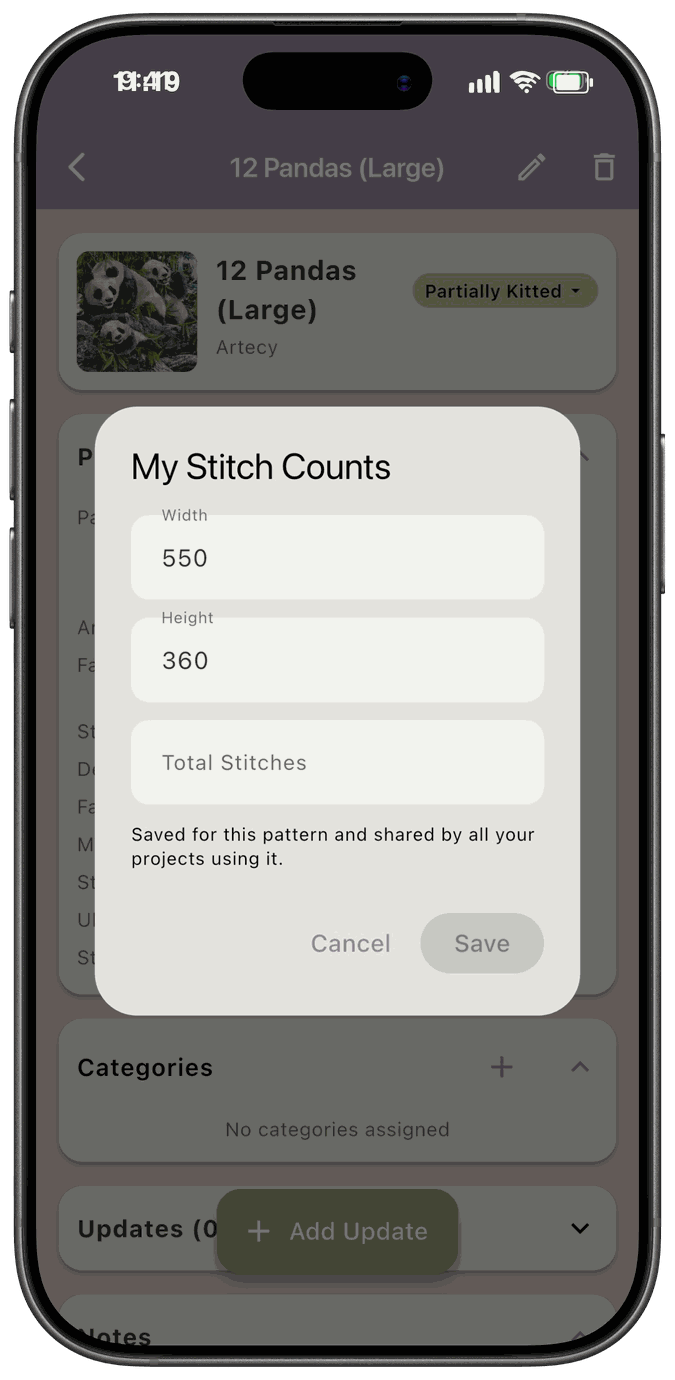
The dialog reminds you that your counts are Saved for this pattern and shared by all your projects using it. The same rules apply as on the pattern: whole numbers from 1 to 2,000,000.
If something goes wrong, you’ll see Couldn’t save your stitch counts. Please try again. or Couldn’t load your stitch counts. Please try again. with a Retry button.
Where your counts show up
Section titled “Where your counts show up”The Design Size table on the pattern uses your counts, and so do all your projects that use the pattern. Your counts also show on the pattern’s card in your stash list.