
Three Ways to Kit Up Fibers to a Project
When you Kit Up a project, the app asks how you’d like to handle your fibers. There are three options — which one you choose depends on how you stitch and how you manage your floss.
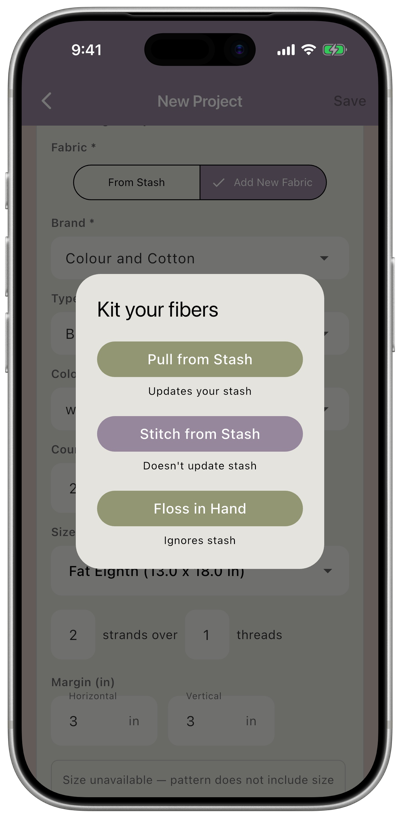
Pull from Stash
Section titled “Pull from Stash”Best for: Stitchers who kit up with entire skeins and keep a dedicated skein in each project bag.
The app compares the pattern’s fiber list against your stash, shows you what you have and where to find it, and deducts the quantities from your stash as each fiber is assigned to the project.
- Your stash — each fiber’s quantity is reduced by the number of skeins the pattern calls for
- Your project — fibers found in your stash are marked as kitted
- Your shopping list — any fibers not found in your stash are added automatically
- When you cross off shopping list items — the fiber is marked as kitted to the pattern
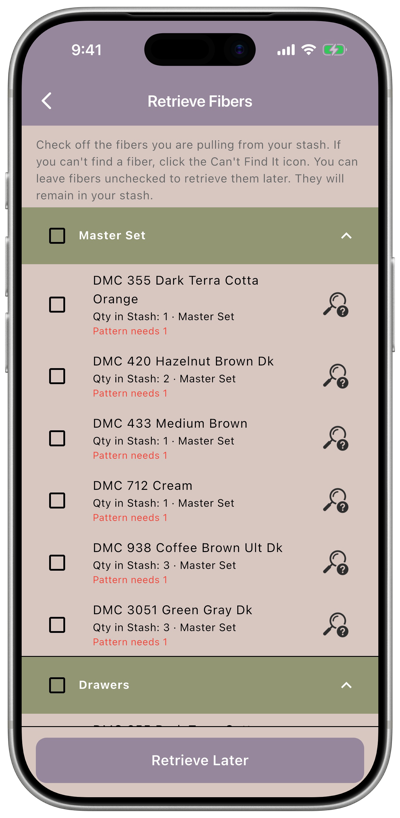
Here you check off the fibers you’ve physically pulled. They’re grouped by location so you can gather them one drawer or box at a time.
-
If the fiber you’re pulling is a partial skein, check Use Partial so the project takes the partial one and your full skeins stay in the stash.
-
Can’t find a fiber? Tap the Can’t Find It icon next to it.
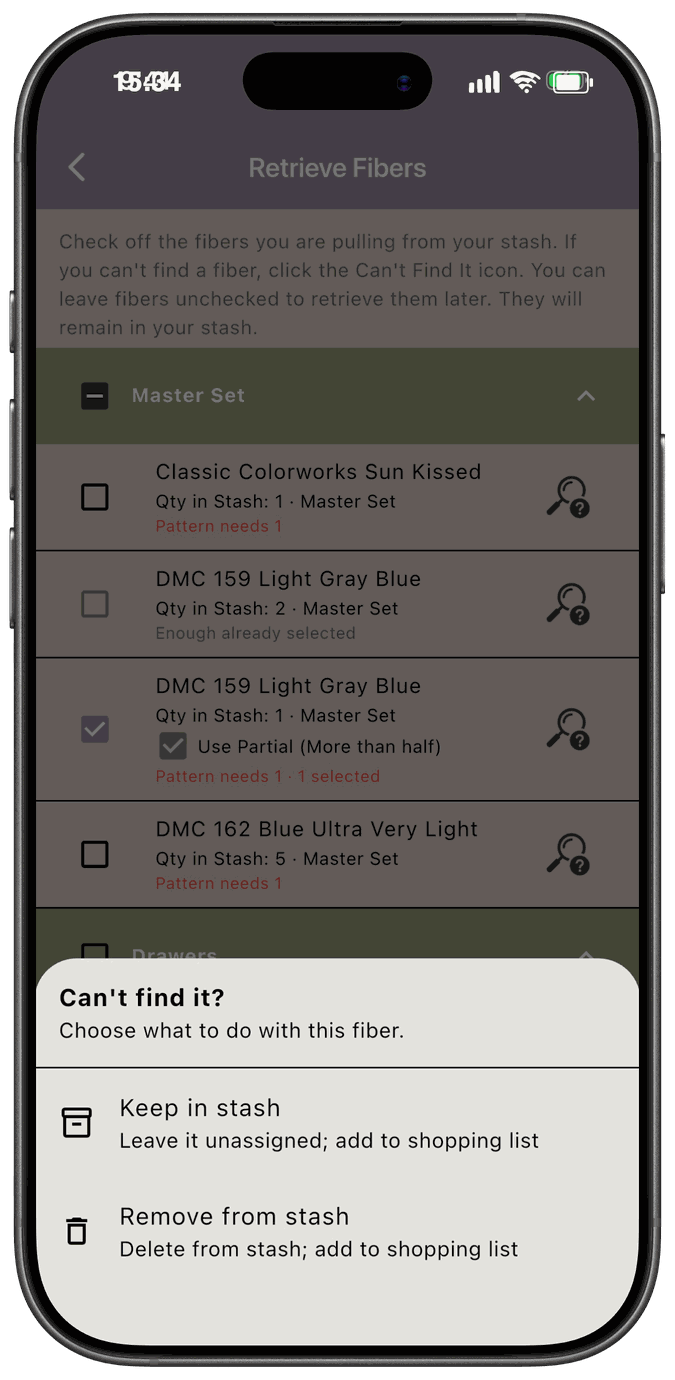
Choose Keep in stash to leave it unassigned in your stash, or Remove from stash to delete it from your stash entirely. Either way, it’s added to your Shopping List so you can pick it up.
When you’re done, tap Pull Fibers From Stash. Fibers you leave unchecked stay in your stash and you can retrieve them later.
Stitch from Stash
Section titled “Stitch from Stash”Best for: Stitchers who keep a Master Set next to them while stitching and pull strands as needed, or who only pull a few strands per color rather than a whole skein.
The app compares the pattern’s fiber list against your stash and shows you what you have and where to find it — but your stash quantities are not changed. The fibers stay where they are; only the pattern is updated to show what’s been kitted.
- Your stash — not changed
- Your project — fibers found in your stash are marked as kitted
- Your shopping list — any fibers not found in your stash are added automatically
- When you cross off shopping list items — the fiber is marked as kitted to the pattern AND added to your stash
Floss in Hand
Section titled “Floss in Hand”Best for: Stitchers who’ve just bought floss that wasn’t on their shopping list and want to assign it to a project without adding it to their stash first. Also useful for entering projects that were kitted up before you started using the app.
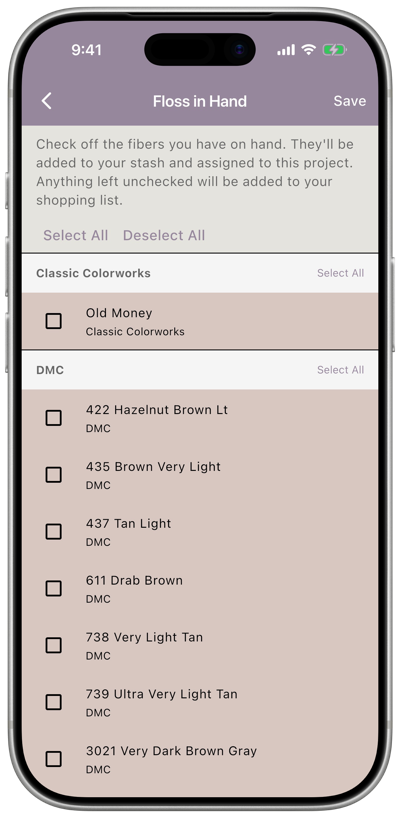
Instead of checking your stash, the app gives you a checklist of every fiber the pattern calls for. You manually check off the ones you have in hand.
- Your stash — not changed
- Your project — the fibers you check off are marked as kitted
- Your shopping list — any fibers you did NOT check off are added automatically
- When you cross off shopping list items — the fiber is marked as kitted to the pattern
Comparison at a glance
Section titled “Comparison at a glance”| Pull from Stash | Stitch from Stash | Floss in Hand | |
|---|---|---|---|
| Checks your stash | ✓ | ✓ | — |
| Updates your stash quantities | ✓ | — | — |
| Missing fibers go to shopping list | ✓ | ✓ | ✓ (unchecked items) |
| Crossing off shopping list adds to stash | — | ✓ | — |