
Settings
Settings is where you control how X-Stitch Tracker looks and behaves. Settings are personal preferences — nothing here changes your actual stash, patterns, or projects.
Opening Settings
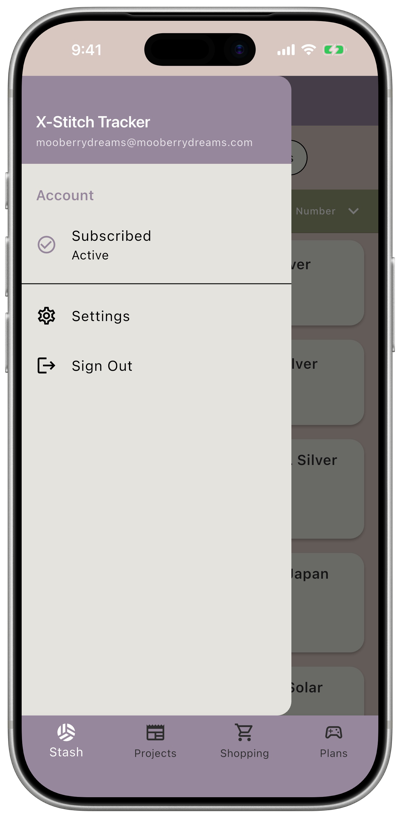
Section titled “Opening Settings”Tap the three lines in the top bar to open the menu. This menu shows your name and email, a quick look at your subscription status, and two links: Settings and Sign Out. Tap Settings to open the full settings list.
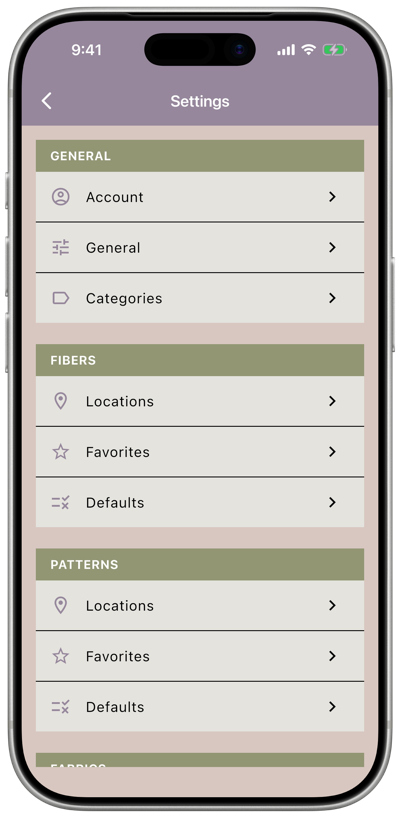
Settings are grouped into sections:
General
Section titled “General”- Account — your trial or subscription status, and where to enter a referral code if you have one.
- General — units, date format, and what screen opens first.
- Categories — the shared list of categories used across your patterns and projects.
Fibers
Section titled “Fibers”- Fiber Locations — the storage locations you can assign to fibers.
- Fiber Favorites — brands and collections you use often, pinned to the top of dropdowns.
- Fiber Defaults — how your fiber stash is sorted when you open the app.
Patterns
Section titled “Patterns”- Pattern Locations — the storage locations you can assign to patterns.
- Pattern Favorites — designers and categories you use often, pinned to the top of dropdowns.
- Pattern Defaults — how your pattern stash is sorted, and whether patterns already in a project are hidden by default.
Fabrics
Section titled “Fabrics”- Fabric Locations — the storage locations you can assign to fabrics.
- Fabric Favorites — brands, types, and colors you use often, pinned to the top of dropdowns.
- Fabric Defaults — how your fabric stash is sorted when you open the app.
Projects
Section titled “Projects”- Project Defaults — how your project list is sorted and filtered when you open the app.
Danger Zone
Section titled “Danger Zone”- Delete Account — permanently delete your account and data.