
Stash
Your Stash is an inventory of everything you own, split into three categories: Fibers, Patterns, and Fabrics. Tap the tab at the top of the Stash screen to switch between them.
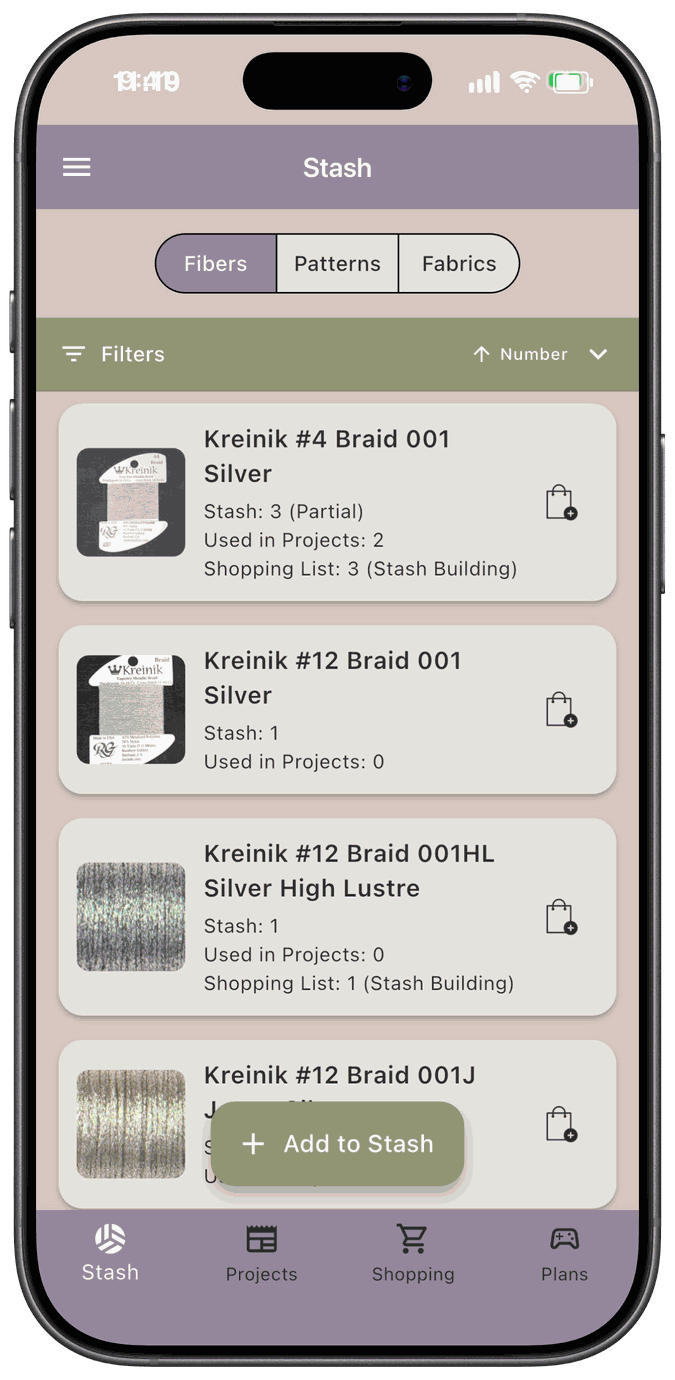
Each category works in a similar way:
- Add to Stash to log something you own, and choose where you keep it.
- Search, sort, and filter to find what you’re looking for.
- Tap an item to see where it’s stored, add notes, and change its details.
Your stash connects to the rest of the app. When you kit up a project, the app checks it against what you own and builds your Shopping List for anything you’re missing.
In this section
Section titled “In this section”- Fiber Stash — floss and threads, by brand and collection, including partial skeins
- Fabric Stash — fabric by brand, type, color, count, and size
- Pattern Stash — your charts, with floss lists, kit fabric, and design sizes
- Fiber Picker — choose fibers by brand and collection wherever the app asks you to pick them
- My Stitch Counts — enter your own width, height, and stitch count for a pattern from the shared library
To choose your storage locations, favorites, and default sorting, see Settings.